ABS Light On but Your OBD2 Scanner Shows No Codes?
If the ABS light stays on and your scan is empty, check whether the scanner actually read the anti-lock braking system. A standard OBD2 code read covers emissions-related requests. The ABS module needs its own supported scan. Save both reports so a technician can see which systems were checked and what each returned.
OBD CAN team · Updated
Check the warning before scanning
Identify the exact warning in your owner's manual. The ABS warning and the brake system warning can mean different things. If braking feels abnormal or the red brake warning appears with the parking brake released, stop as soon as it is safe and follow the manual or contact roadside assistance. Do the scan while safely parked. Ford owner's manual example
Keep the standard OBD2 scan
In OBD CAN, save the first OBD2 Diagnosis report. Note when the light appeared and whether the read completed. If the scan lost communication, record that with the report. The three sections below help identify what this kind of scan tried to read.
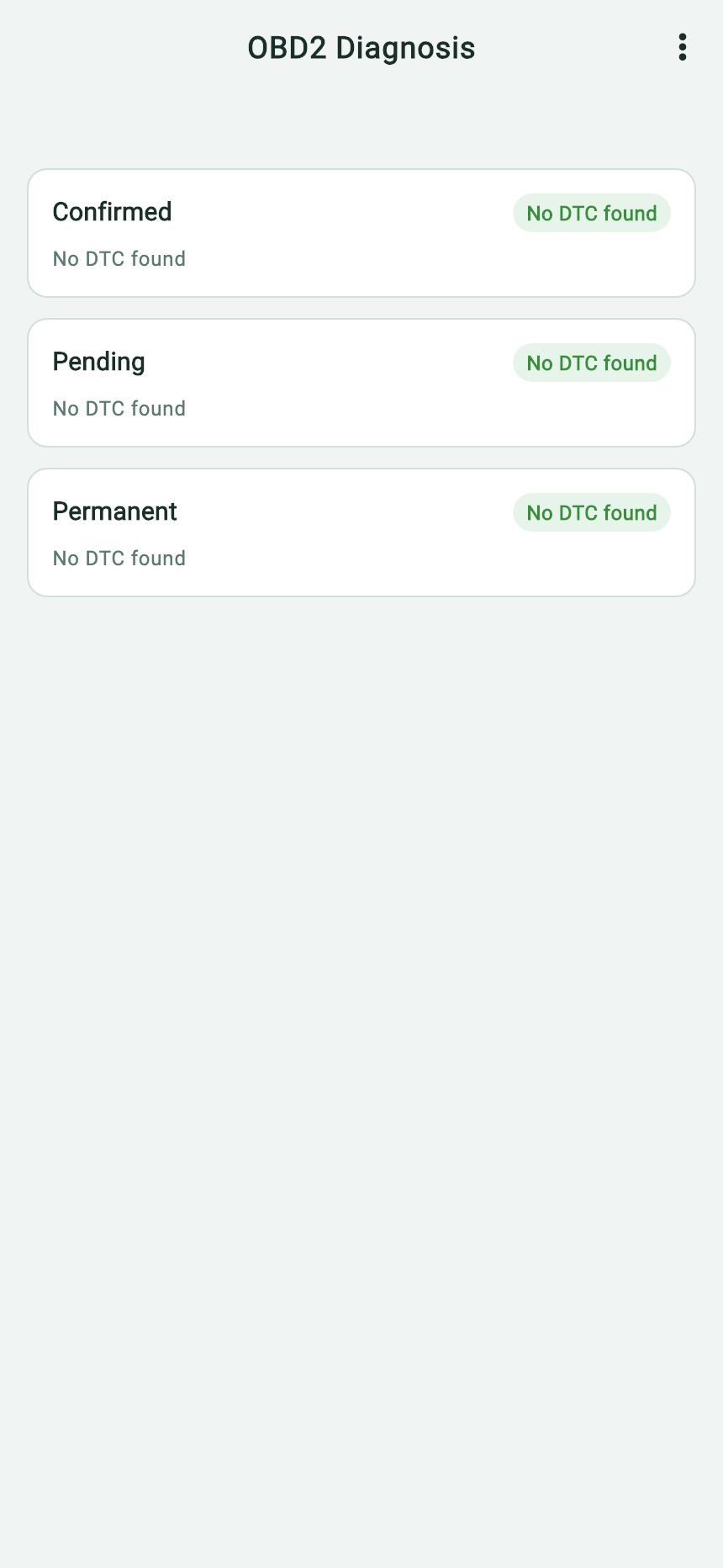
- Confirmed is a category of the standard OBD2 read.
- Check the Pending section independently.
- Permanent is part of the same OBD2 report. This screen does not show a dedicated ABS module result.
Check whether the vehicle profile includes ABS
Connect a compatible BLE adapter and open UDS Diagnosis → Vehicle-specific scan. Choose the applicable vehicle configuration and look for ABS under Modules to scan. You can preview the list before starting. A listed module indicates what the profile can try. A successful read depends on the exact vehicle and connection. Starting the scan requires sign-in, a paid membership, and a compatible connection.
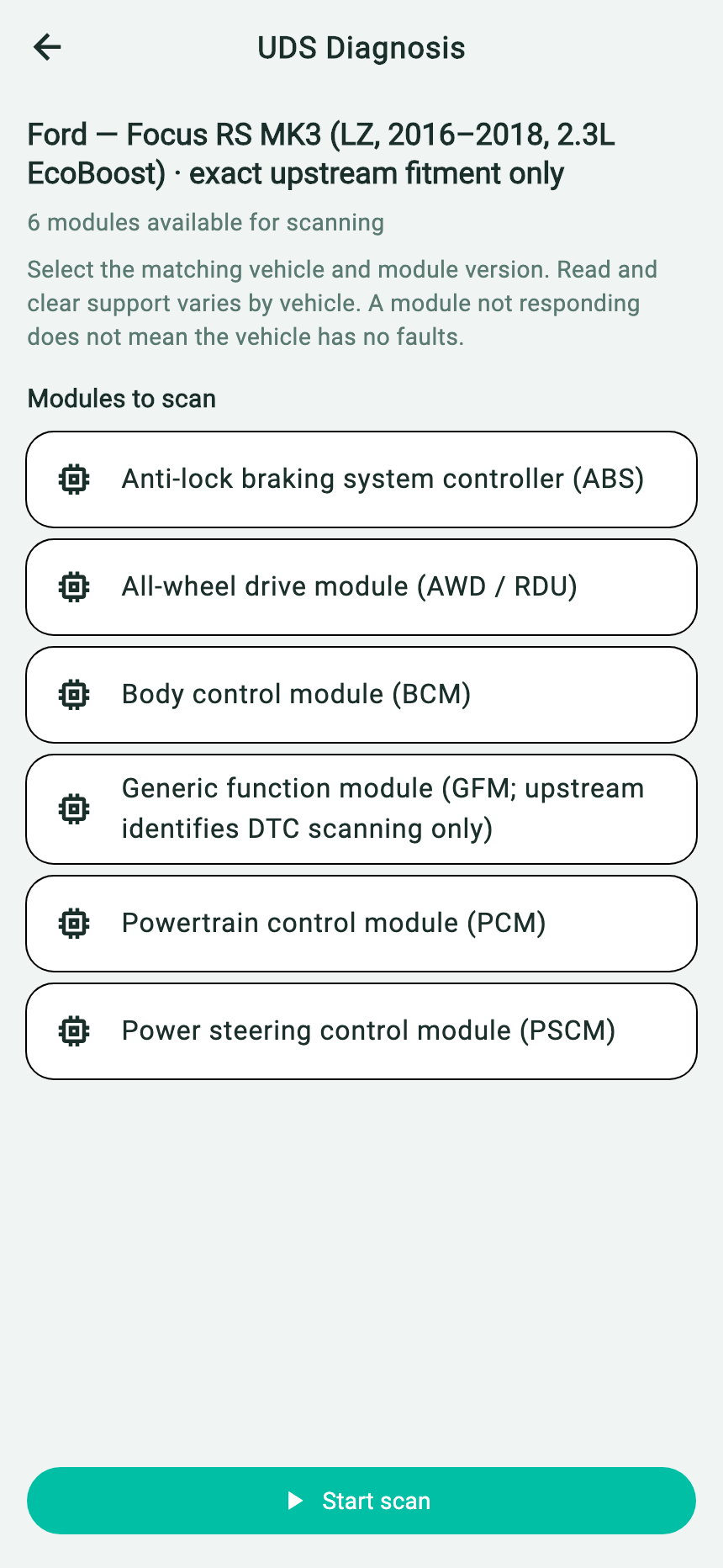
- Check the profile against your vehicle's year, market, and configuration.
- Locate the ABS controller under Modules to scan.
- Start scan runs the selected configuration. Locate the ABS result after it returns.
Read the ABS module result and save it
| ABS result | What to do next |
|---|---|
| ABS missing from the profile or not read | Record the configuration and which modules the scan actually read. Check coverage or use an ABS-capable tool that supports your vehicle. |
| No response or incomplete read No response; fault status unknown | Save the module status and check the vehicle profile and adapter connection. If the read still fails, ask a technician to verify communication with the ABS module. |
| Completed with no codes in the requested scope No fault codes found in the requested scope | Save the requested status mask. If the warning stays on or returns, ask a technician whether the vehicle supports a broader read and what brake checks are needed. |
| A code is returned | Save the code, reported status, module name, and scan scope. Check the code against the vehicle's service information before deciding what to inspect. |
The English report examples show status mask 0x08, a request for confirmed codes. A completed read with this mask only covers that status. In the no-response report, the mask records what the app requested and the ABS fault status is unknown. Use the mask shown in your own report.
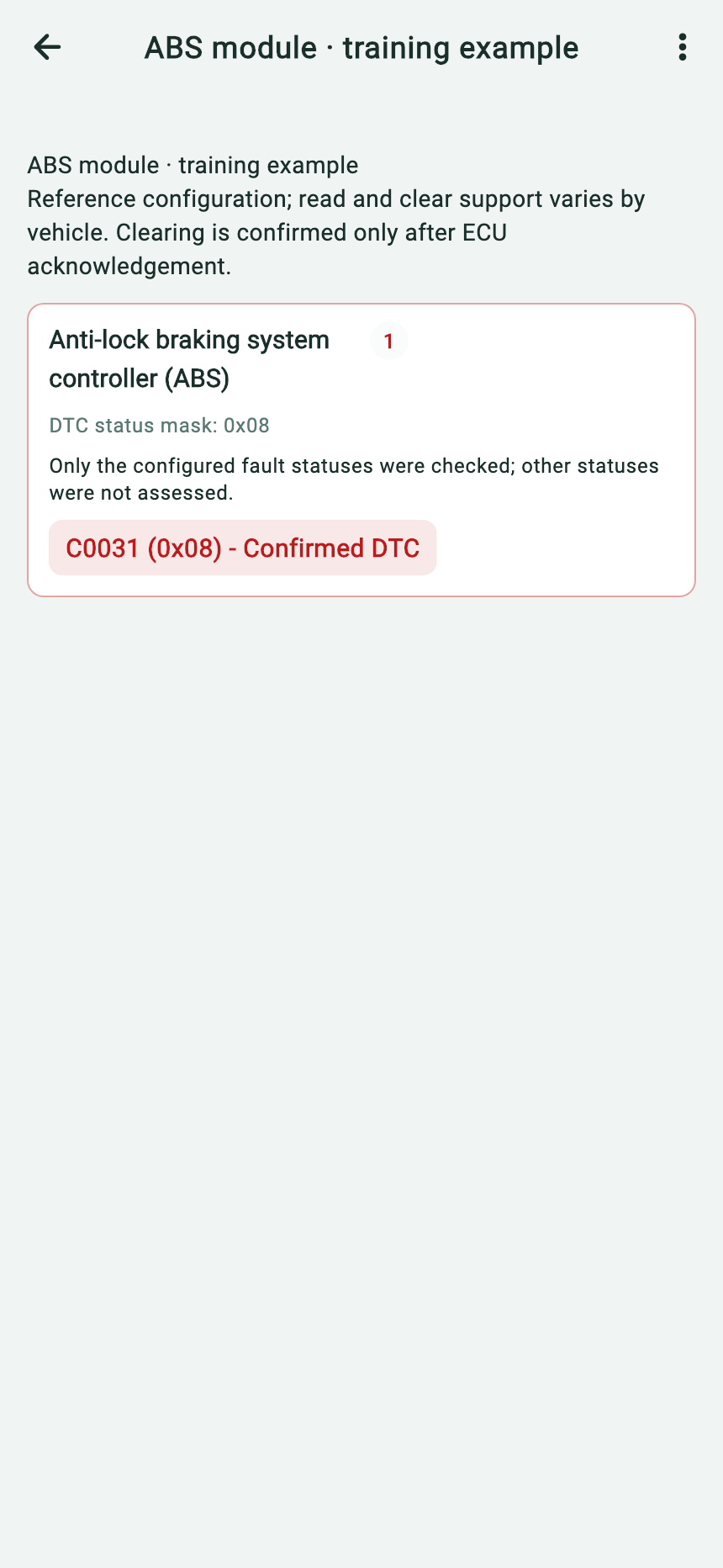
- Read the ABS controller's name before interpreting the result.
- Keep the requested status mask and the scope notice.
- Save the example code and its returned status together.
Open the saved report and choose More Options → Copy AI Prompt Template to copy the result text. Keep the first report, the ABS result, and a note of the warning light and symptoms together. Remove personal identifiers before sharing.
Tell the technician which vehicle profile you selected, when you scanned, and which other warning lights were on.