Hard to Start After Refueling? What to Save for an EVAP Check
If the engine is unusually slow to start or stalls after filling up, record the timing. A hot restart can also be difficult without refueling; one episode does not identify an EVAP fault. Save the timeline and a completed OBD2 scan.
OBD CAN team · Updated
Separate the refuel pattern from an ordinary hot restart
Record shutoff, refueling and restart times, cranking duration, whether it started or stalled, and the warning light. Note whether it also occurs without refueling. Compare only with an ordinary hot restart already observed; do not recreate it. Timing shows association, not cause.
Do not top off the tank to test a theory. If you see fuel, smell a strong or persistent fuel odor, or find a leak, move away and follow the owner’s manual or contact roadside assistance. Do not keep restarting the engine or scan in an unsafe area.
Save the first completed OBD2 result
When safely parked with no fuel leak or vapor concern, sign in to OBD CAN, connect a compatible BLE adapter and open OBD2 Diagnosis. Save the first result from History before clearing codes. Keep each code under its reported Confirmed, Pending or Permanent category. If communication dropped or the read ended early, record the scan as incomplete.
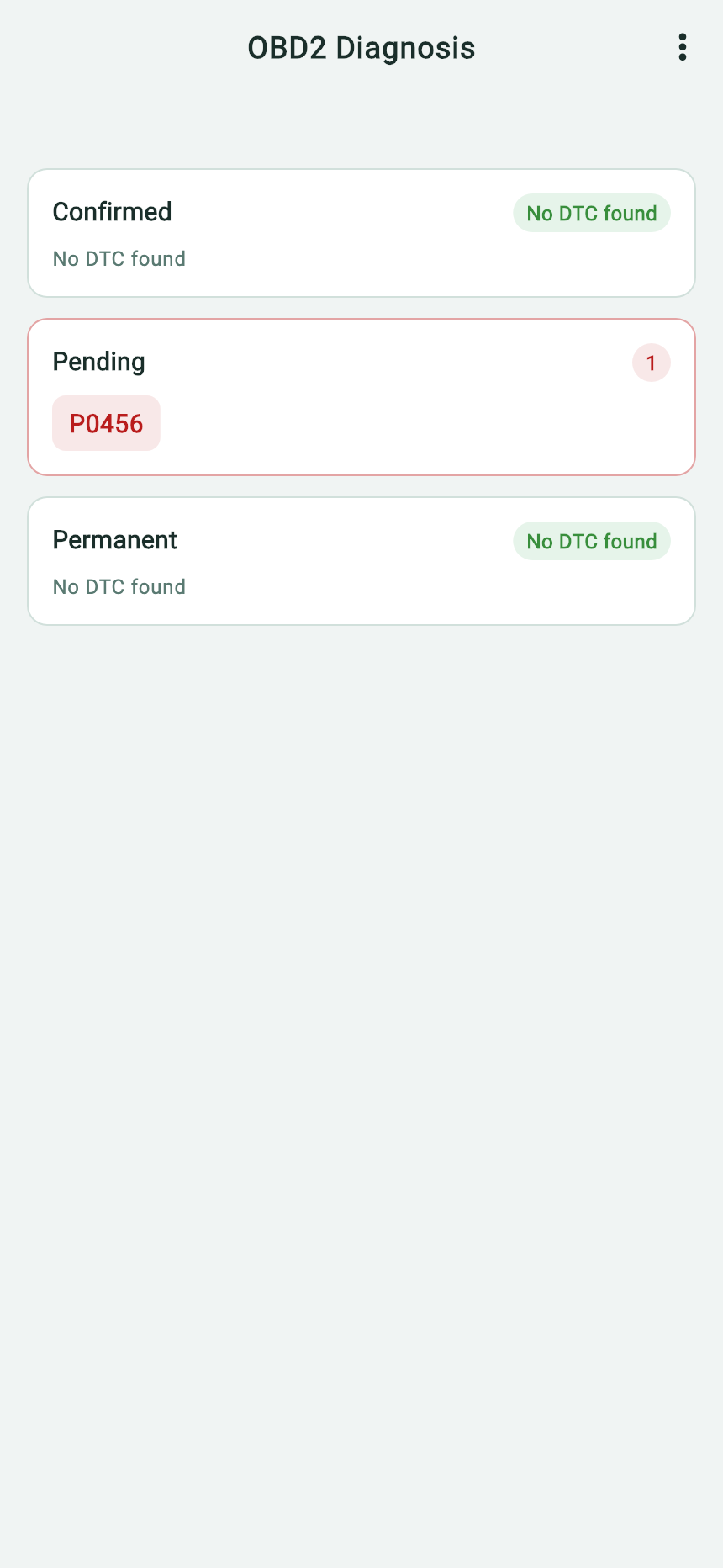
- Pending is the category shown here.
- Keep P0456 together with its reported category.
Download the English report example
Note the odometer, timeline, symptoms, warning light and scan completion separately. Save any freeze-frame data your tool supplies before clearing codes.
Check which service information applies to your vehicle
Ford bulletins show why the vehicle matters. TSB 16-0075 covers certain 2013 Escape, 2013–2014 Fusion and MKZ built on or before November 9, 2013. It reports hard start, no start or RPM loss after refueling, sometimes with P1450 and/or P0456, and specifies a purge-valve repair for listed applications. TSB 24-2199 covers some North American 2024 Edge 2.0L AWD vehicles with refuel-related symptoms and possible P04F0, P0451, P0455 or P0496; it describes a disconnected vapor line inside the tank. Fitment and procedures differ. A matching symptom or code does not establish coverage.
Keep purge data in its proper role
When supported, Sensor Data Recording can keep Commanded evaporative purge (PID 2E), the percentage the ECU requested. Treat it as context. A technician can use the matching vehicle procedure to check actual vapor flow, valve movement or sealing.
Check the filler externally and verify bulletin fitment
With the engine off and no fuel odor or spill, identify the filler. For a cap, inspect its visible seal and refit per the manual. For capless, inspect only visible parts; never pry or insert tools or unapproved funnels. This does not check the purge valve or tank plumbing.
Ask a Ford dealer to check current bulletins using VIN, year, engine, build date, drivetrain, market, symptoms and codes. TSB 16-0075 lists 2013 Escape and 2013–2014 Fusion/MKZ built by November 9, 2013. TSB 24-2199 covers some North American 2024 Edge 2.0L AWD; its internal vapor-line repair requires tank removal and is not DIY. Symptoms alone do not prove fitment.
After an approved repair, fuel normally and log the next natural restart; do not top off or recreate the fault. Save a complete OBD CAN code report before clearing; if supported, log Commanded evaporative purge (PID 2E) as an ECU request only. Compare safe refuel/restart timing and code category with baseline. See Ford TSB 16-0075, TSB 24-2199 and this Ford capless-filler example.