P0700 Code: How to Check the Transmission Module Next
P0700 means the transmission control system requested the check engine light. On a generic OBD2 scan it tells you where to look next. To find out what the transmission control module (TCM) recorded, read that module with a tool that supports your vehicle. P0700 alone cannot tell you which part failed or whether your car needs a mechanical transmission repair.
OBD CAN team · Updated
Save P0700 and the other codes before clearing
Scan while safely parked. If the vehicle loses drive or cannot shift safely, pull over when safe and follow the owner's manual or contact roadside assistance. In OBD CAN, save the standard OBD2 diagnosis report. Note whether P0700 was confirmed, pending, or permanent and keep any other codes with it. Write down when the light appeared and what happened just before it, such as a delayed shift or loss of power. You can compare those details with the module report later.
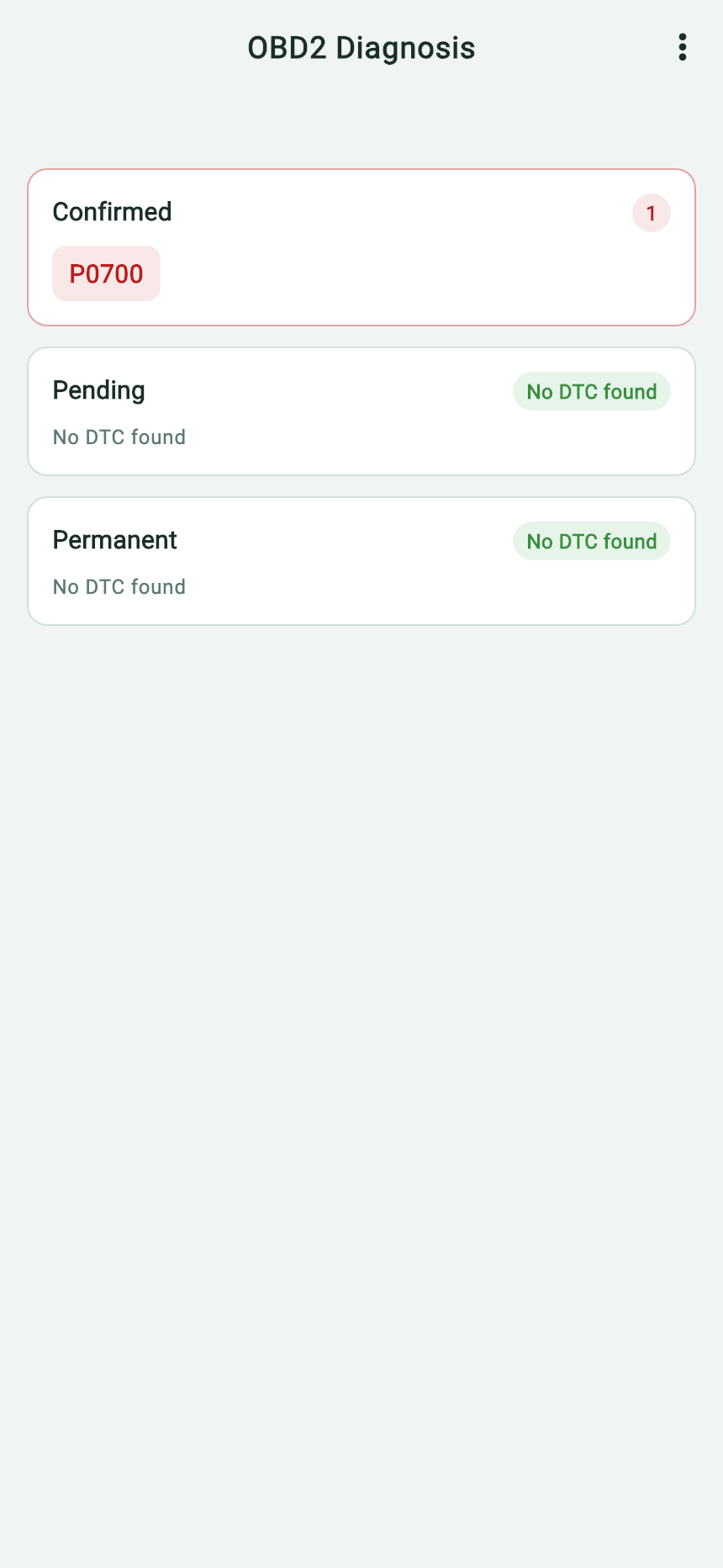
- Confirmed is the category shown in this OBD2 report.
- Save P0700 with the rest of the report before switching scan modes.
Check whether your scanner can read the transmission module
A generic scan may show P0700 even when your scanner cannot query the TCM directly. In OBD CAN, open UDS Diagnosis and choose Vehicle-specific scan. Look for the matching year, market, and vehicle configuration. Under Modules to scan, look for the transmission controller. Check that it is available for scanning and record the displayed profile name. Starting a vehicle-specific scan requires sign-in, a paid membership, and a compatible BLE adapter connection. If the matching profile cannot scan the TCM, use a tool with confirmed coverage for that vehicle.
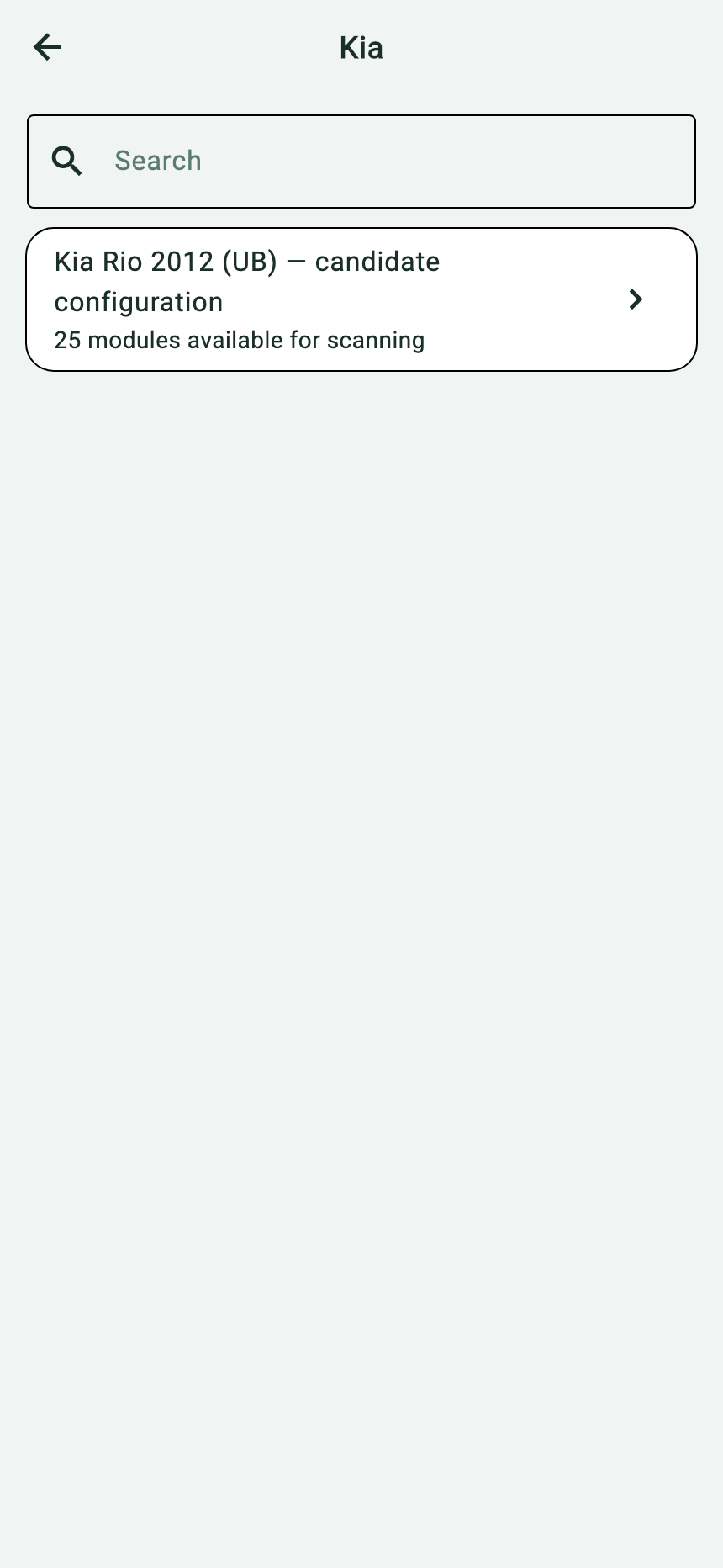
- The count shows modules available to try with this profile.
- Check the vehicle configuration before starting.
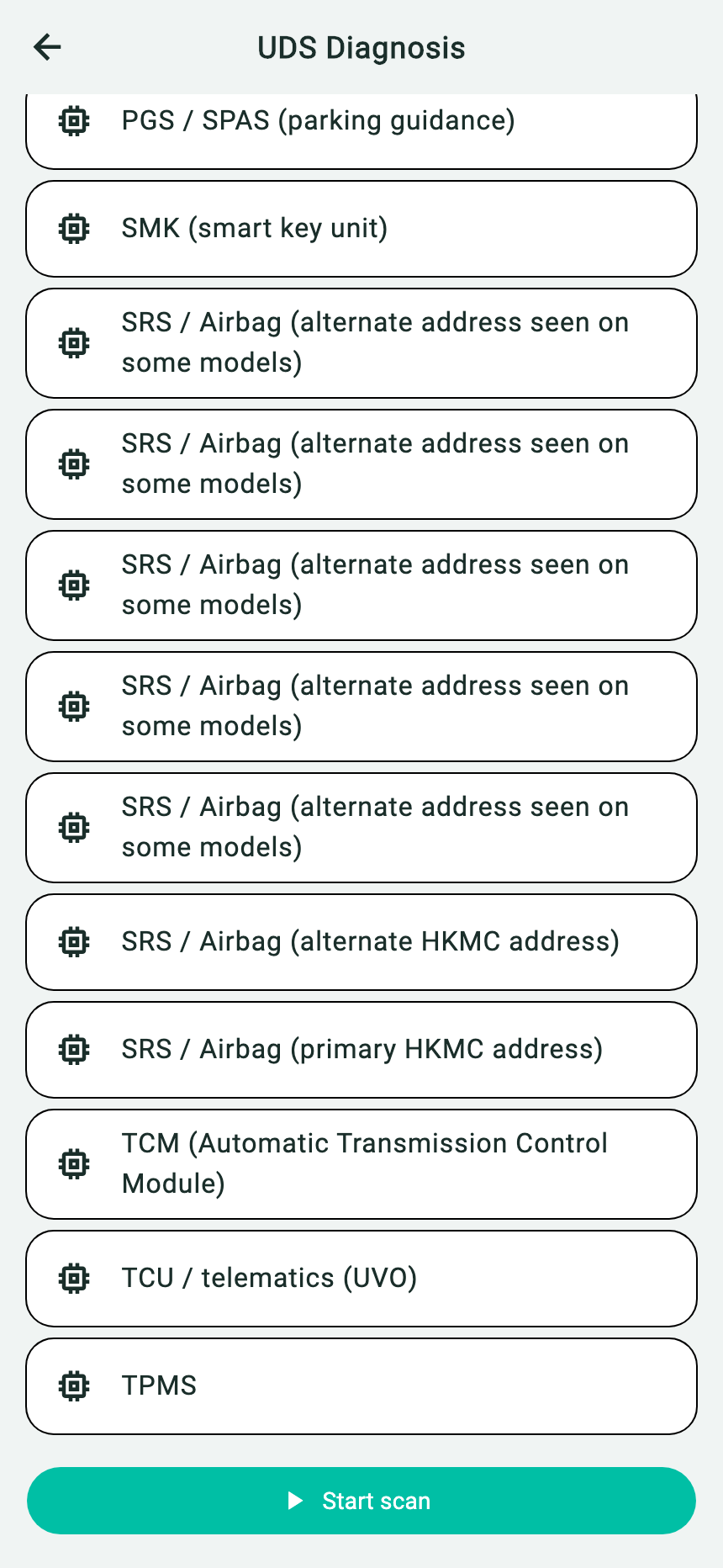
- Find the listed transmission controller.
- Start scan runs the selected configuration. Then find the transmission module in the results.
Read the TCM result and choose the next step
| What your scanner shows | What to do next |
|---|---|
| TCM missing or not scanned | Record the scan mode and configuration. Check whether your tool supports a dedicated transmission scan for your vehicle. |
| No response, rejected request, or incomplete read | Save the actual error. Verify the vehicle profile, ignition state, and adapter connection. If a supported read still fails, ask a technician to check communication. The TCM fault status is still unknown. |
| Read completed with no codes in the requested scope | Check which fault statuses were requested. If P0700 or the symptom persists, ask whether the vehicle supports a broader read. Even a successful scan can miss statuses it did not request. |
| TCM returned one or more codes | Keep the full code, module, returned status, and any available snapshot data your tool supplies. Look up the complete code in service information for your exact vehicle before choosing a test or replacing parts. |
In the English UDS report example, status mask 0x08 requests confirmed codes. That mask describes the request. With no response, the scanner has no result for that module. A completed read with the same mask would only tell you what was returned for confirmed codes.
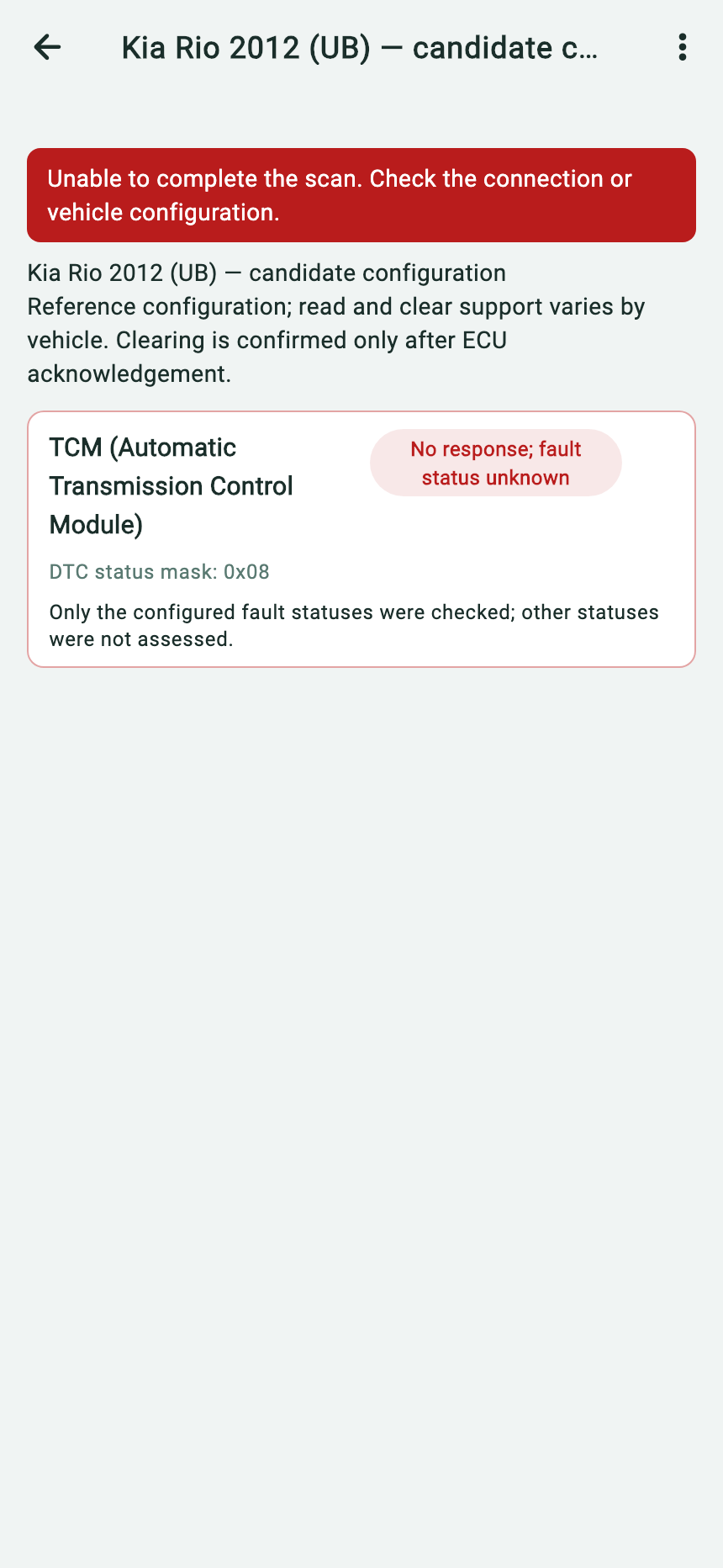
- Check that the result is for the transmission controller.
- Keep the status mask that identifies the requested scope.
- Record the no-response result as an unknown fault status.
Use the TCM code to choose the repair procedure
Note whether the vehicle lost drive, shifted abnormally, or showed a visible fluid leak; check the owner's manual before moving it if operation feels unsafe. Do not add fluid based on P0700 or a leak seen from outside. Keep the exact TCM code, status, vehicle configuration, and any companion communication codes together.
For a returned TCM code, use the OEM diagnostic chart for that exact transmission and code, and meet its stated ignition, voltage, temperature, and scan-tool prerequisites before testing. If the TCM does not respond, follow the vehicle-specific communication, power, and ground checks in service information. Do not infer a failed transmission, replace parts, change fluid, or reset adaptations without the applicable test results and procedure.
After repair, run the supported scan again and save both TCM and engine-module results. Compare the same TCM codes and statuses, P0700 category, module response, and driving symptoms with the original reports. Follow any OEM verification or drive-cycle steps; a missing P0700 alone does not confirm that the underlying fault is fixed.
Share both scans with the same notes
Tap History on the OBD2 or UDS diagnosis screen, select the saved report, and use More Options → Copy AI Prompt Template to copy its text. Keep the two results together. Tell the technician which vehicle profile you selected, which scan produced each code, and when the shifting symptom appeared. If you only have P0700 and the TCM could not be read, say so. Remove personal identifiers if you share a copy publicly.
Keep communication codes with P0700 even if they came from the engine controller. In an engineering information bulletin for certain 2019–2022 North American Chevrolet Malibu 1.5L Turbo vehicles, GM lists both P0700 and U0101, a code for lost communication with the TCM. If your own scan shows a communication code and the TCM will not respond, give the technician both observations so they can investigate communication first. Refer to your own vehicle's service information for the applicable procedure.